
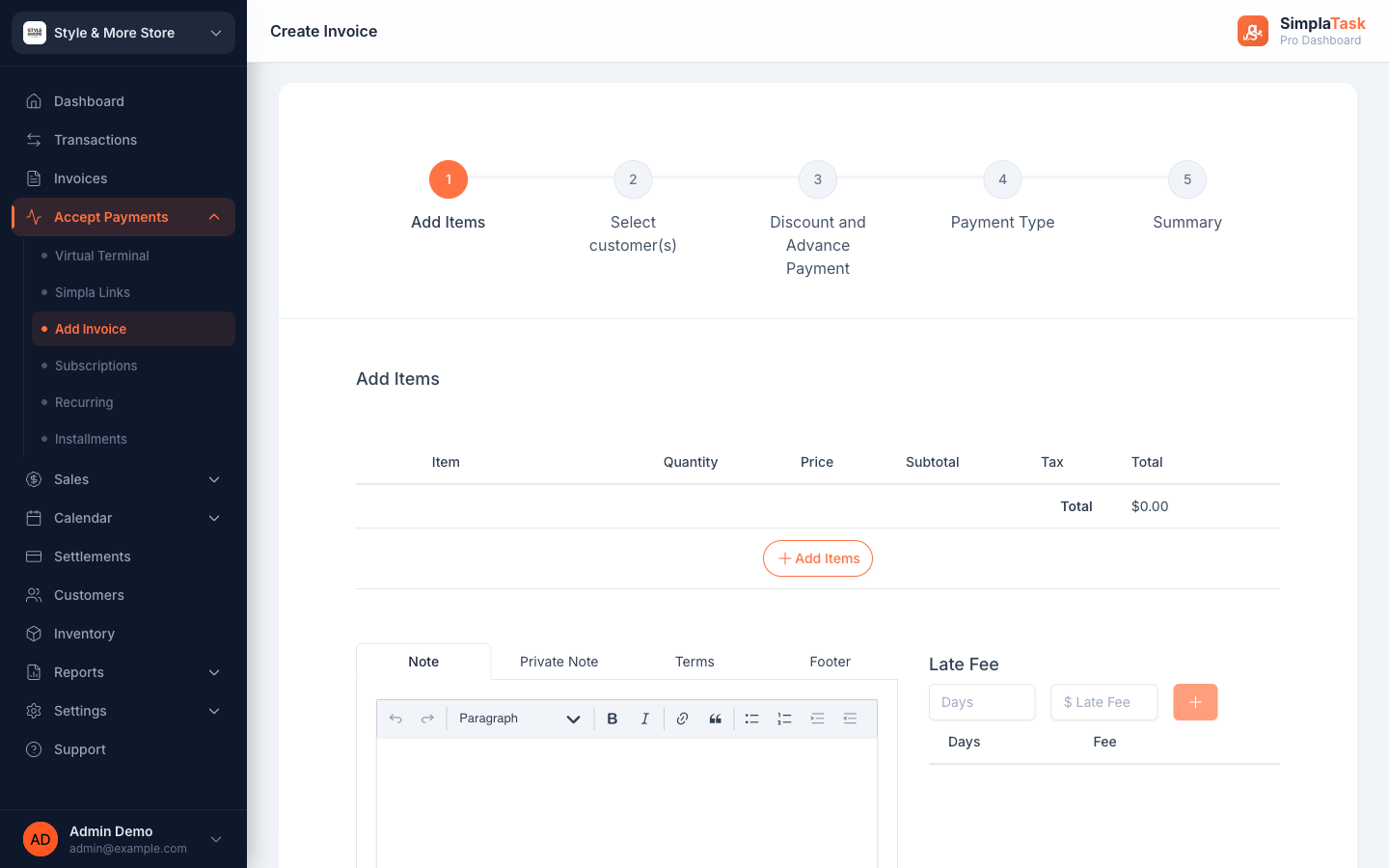
A 5-step wizard takes you from blank page to sent invoice without leaving the SimplaTask dashboard. Pick from your inventory, choose one customer or a whole group, set tax and discounts, and ship.
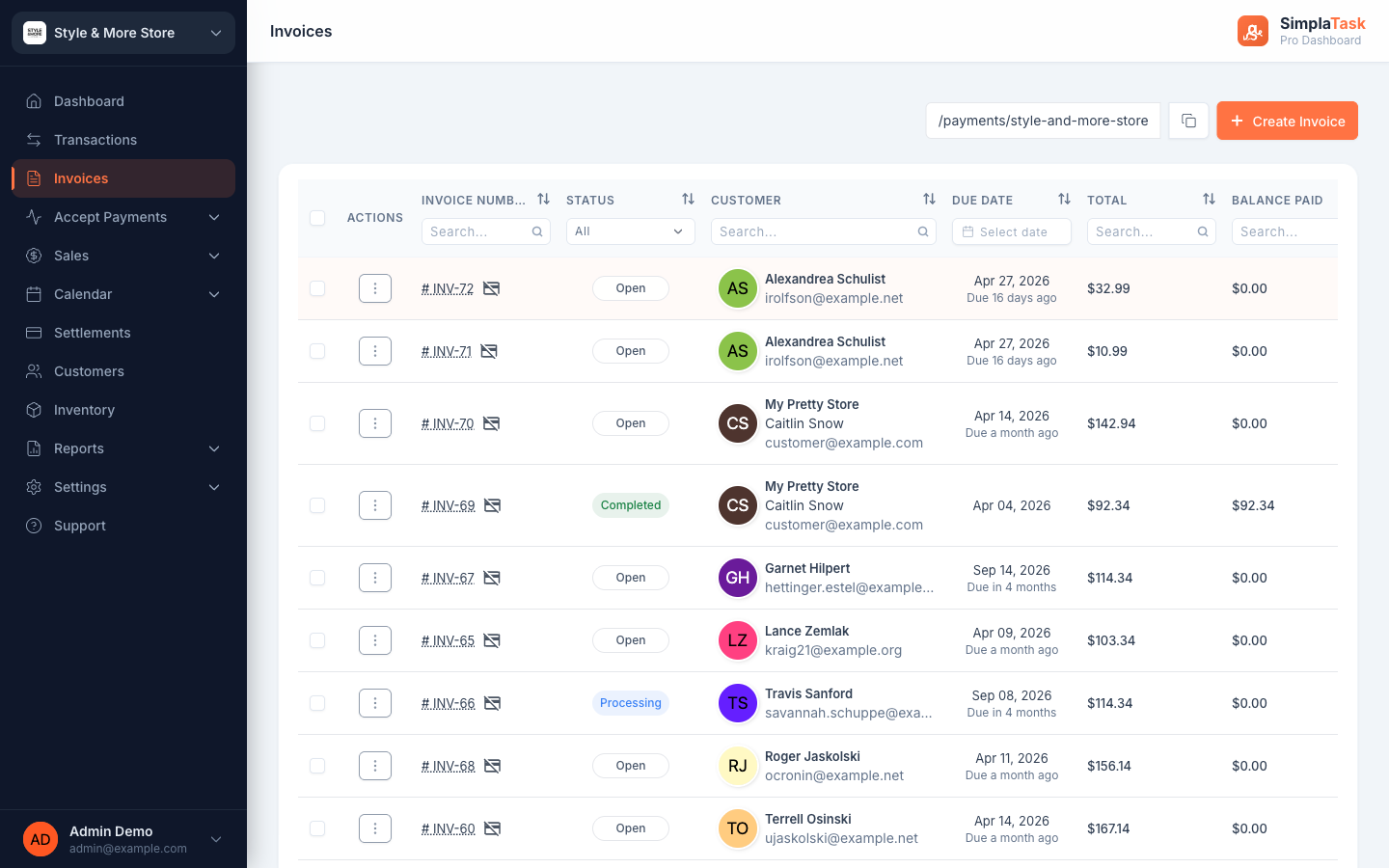
Pull items from your inventory, invoice a single customer or a whole group, pick the payment model that fits, and let the audit log do the bookkeeping.
Multi-select customers or whole Groups in a single click. Send the same invoice to 1 person or 100—each gets their own copy with optional per-customer discounts.
One-time, installments, recurring, or subscription—all four models live inside the same wizard. Flip the toggle and SimplaTask handles the math.
Every invoice gets an audit log—creation, status changes, payments applied, notes added. See linked transactions in one click. No spreadsheet reconciliation.
Each step keeps the form short. The wizard remembers your last selection, validates as you type, and skips empty fields you don't need.
Pull from your inventory, create new on the fly, or attach a service. Tax rate is per-item.
One person, many people, or an entire customer Group. Each recipient gets their own invoice.
Optional adjustments tucked behind sub-tabs. Apply to everyone or individually.
One time, installment, recurring, or subscription. Set the invoice and due dates.
Save as a proposal first, or send directly. The customer gets it; the audit log starts ticking.
Every business has a different rhythm. SimplaTask doesn't make you pick one.
Send a quick invoice that's due once. Perfect for project work, one-off services, and ad-hoc sales.
Split a single invoice into a payment plan. Customer sees the schedule; you see balance updates as each one clears.
Send a new invoice on a schedule: monthly retainer, quarterly fee, annual renewal. The customer pays each one as it comes due.
Auto-charge the saved card on the same schedule. Best for memberships, classes, and ongoing services with predictable billing.
Open a SimplaTask account and send your first invoice today. The audit log will start the moment the customer opens it.